
Run bonus season without the spreadsheet.
Bonus management for growing teams.
Set the plan and each team's budget. Bonus Desk works out every bonus, sends it to the right person to sign off, and writes down the reason behind each number.
30-day free trial. No card needed.
- Dana WhitakerRating 4, all goals metApproved$4,350
- Marcus LeeRating 3.5, 3 of 4 goalsWaiting on Priya$3,000
- Rosa JimenezHourly crew, flat amountApproved$400
- Tom BeckerReview due Dec 12Draft$0
- 1See what's left in the budget before anyone approves.
- 2Open any amount to see how it was worked out.
- 3Know what's still waiting and on whom.
Your bonus process has outgrown the spreadsheet.
The math lives in one file
One person owns the formulas. Everyone else emails them numbers and hopes the sheet still adds up after this year's changes.
Approvals live in your inbox
You chase managers for ratings, then chase the owner for a yes. Nobody can see what's still waiting.
The reasons live in your head
When someone asks how their number was set, you rebuild the math from memory and write it up by hand.
See the cost before you approve.
Give each team a budget. As managers fill in ratings and goals, Bonus Desk adds up what's been recommended and shows what's left, team by team and for the whole company.
Nothing goes over by accident. If a recommendation would push a team past its budget, the approver sees it before they sign off.
- Field crewRating scale, 14 people$5,150 left
- SalesSales commission, 6 people$1,200 left
- OperationsPercent of salary, 9 people$2,450 over
- OfficeFlat amount, 4 people$3,200 left
Every number comes with a reason.
Keep the bonus plan that already works for your business. Bonus Desk shows the math behind each amount and writes it up in plain words for the approver and the employee.
The letter that goes with it
From a sample company in Bonus Desk.
Move recommendations through approval.
- Managers recommend. They fill in ratings and goals, and the amount updates as they type.
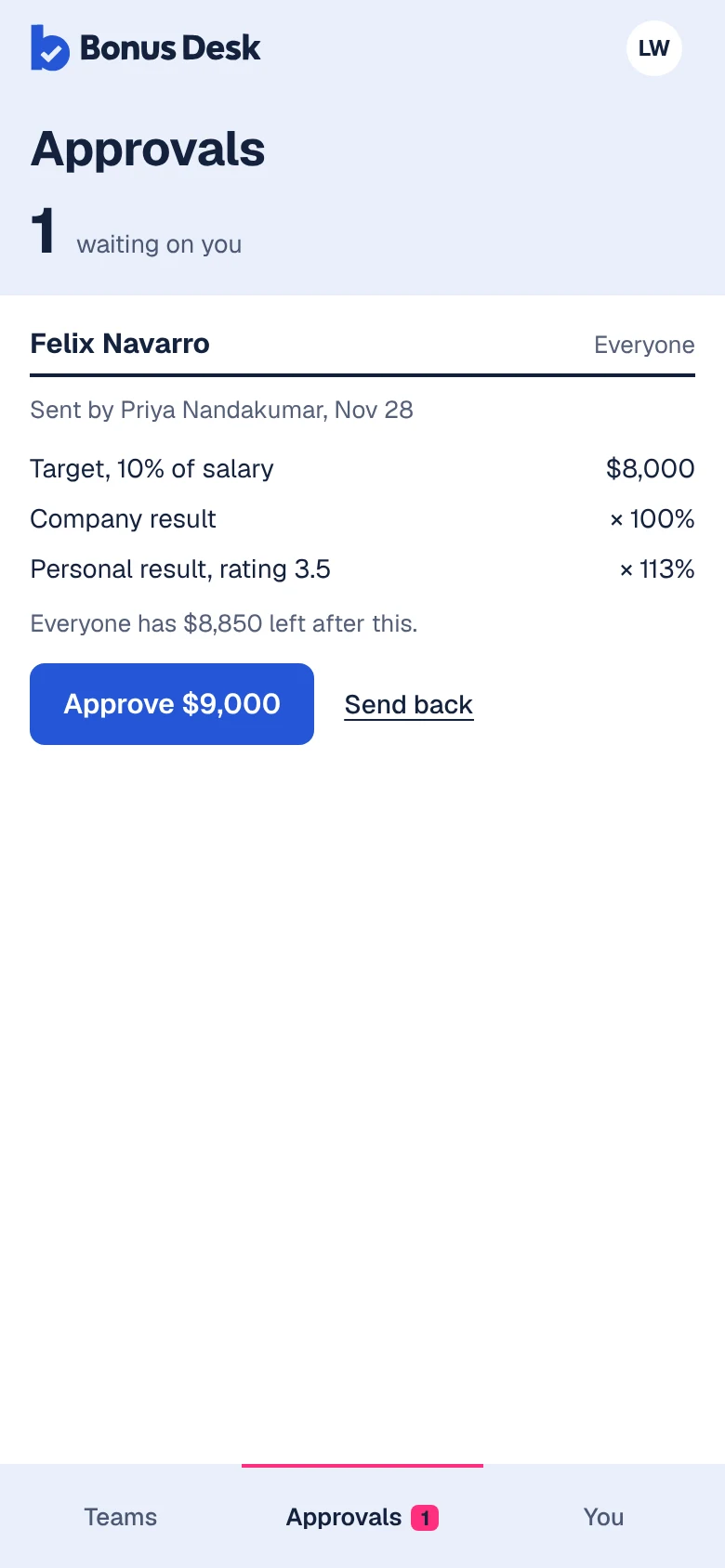
- Approvers sign off. They get an email, read the reason, and approve from their phone or send it back with a note.
- HR sees where everything stands. Draft, waiting, approved and paid, for every person, with who did what and when.
An approved amount is locked, even if the plan changes later. Managers get a reminder before a work anniversary, so nobody's bonus is late because a review slipped.
Bring your team. Keep your payroll.
Upload the employee report from Gusto, ADP, Paychex, Rippling, Justworks, BambooHR, Paylocity or QuickBooks. Bonus Desk reads the names, IDs and pay, and leaves Social Security numbers and bank details behind on your computer.
When bonuses are approved, download a file your payroll system takes as it is, with the same people, the same IDs and the same total. Upload it, check the total, and run payroll the way you always do.
Bonus Desk doesn't pay anyone. Your payroll provider does.
Pricing
One price for the company plus a rate for each person on a team. Every plan has every feature. Start with a 30-day free trial, no card needed.
Essentials
Growth
Enterprise
Included on every plan
- All five kinds of bonus plan
- Team budgets and approvals
- A written reason for every bonus
- Employee imports and payroll files for the systems above
- Google and Microsoft sign-in
- A record of every change, and a full export of your data
Pay stays private.
Company accounts only. People sign in with a work email or a company Google or Microsoft account.
Managers see their own teams. HR and approvers see what their role covers, and nobody else.
A record of every change. Sign-ins, edits, approvals and payments are logged with who and when.
Your data leaves when you do. HR can download everything, or delete the company, at any time.
Questions
Can I try it before I put in real salaries?
Yes. The calculator runs a sample team with no account. The free trial lets you set up your own plan and teams before you pay anything.
What does setup take?
Pick a bonus plan, upload the employee report from your payroll or HR system, and give each team a budget. Most of it is choosing settings you already know, like who's on which team.
How do approved bonuses get paid?
Download the payroll file from Bonus Desk and upload it to your payroll system as a bonus or extra pay run. Your payroll provider pays it. Then mark the bonuses paid in Bonus Desk.
Who counts toward the price?
Everyone on a team in Bonus Desk. If you hire, the count goes up at the next bill. People you remove stop counting.
Do we only use it once a year?
No. Bonuses can be paid on each person's work anniversary, when a team hits a milestone, or all at once. Many teams run something every month.
Can employees see each other's bonuses?
No. Each person sees only what their role allows, and a manager only sees their own team.
Is this legal or tax advice?
No. Bonus Desk is a planning tool. Check how bonuses are taxed and how they affect overtime with your payroll provider or accountant.
How do I reach you?
Write to hello@bonusdesk.app. A person reads every message.